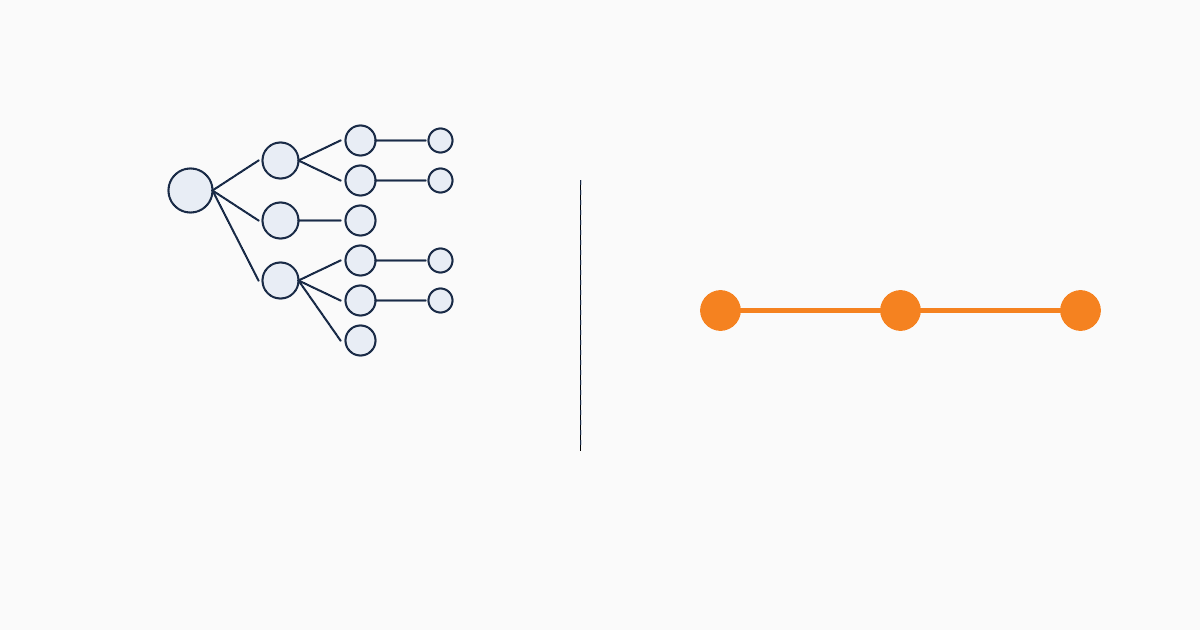
ActiveCampaign is a marketing automation tool. It's good at marketing automation. It also has a CRM module — added in 2014, expanded since — that's functional but secondary to the automation engine. For teams whose primary need is "sophisticated email automations," ActiveCampaign is a strong choice.
For teams whose primary need is "manage marketing leads and qualify them before sales," a lightweight marketing CRM is a better fit. This article isn't a feature war — it's a honest decision frame based on what each tool is actually built for.
What ActiveCampaign is built for
ActiveCampaign's center of gravity is the automation builder. A visual canvas where you drag triggers, conditions, actions, and goals into multi-step flows. Email is the primary action. Tags, conditions, and split paths handle the logic.
This is the strongest part of the product. ActiveCampaign's automation builder is generally considered best-in-class — more powerful than HubSpot Marketing Hub Starter, easier than Salesforce Marketing Cloud, more flexible than Mailchimp's Customer Journeys.
If your marketing motion is content-led, nurture-heavy, with sophisticated multi-step email sequences — ActiveCampaign is doing what it's built for.
The setup curve — why ActiveCampaign takes 3-7 days
A real ActiveCampaign deployment for a B2B team typically involves:
- Setting up at least one list (or "audience") structure
- Defining tag taxonomy (this is where most teams spend the most time)
- Building 2-3 starter automations (welcome sequence, lead nurture, re-engagement)
- Configuring lead scoring rules
- Setting up forms and embedding them
- Connecting the CRM module (deals, deal stages, win/loss reasons)
- Building reporting dashboards
Each step is well-documented. Each step requires decisions. A small team without an ActiveCampaign-experienced lead typically needs 3-7 days of part-time work to reach a usable configuration. Many teams hire ActiveCampaign-certified consultants to accelerate this — that's an additional $1,500-5,000 typical engagement.
By contrast, a lightweight marketing CRM (QUST as the example) goes from sign-up to first captured lead in 5 minutes. The setup curves are an order of magnitude apart. This isn't because one tool is better; it's because they're built around different assumptions about how much configuration is appropriate.
Where ActiveCampaign's CRM module bends
The CRM module in ActiveCampaign was built to support the automation engine, not the other way around. This shows up in three places:
1. Forms are basic. ActiveCampaign's native forms are functional but limited — fewer field types, less styling control, less sophisticated source attribution than dedicated CRM tools. Many teams end up using Typeform or another form tool feeding into ActiveCampaign via integration.
2. Reporting requires manual setup. Deal-pipeline reporting works, but cross-pipeline or campaign-attribution reporting needs custom configuration. Marketing-attribution dashboards aren't pre-built.
3. Source tracking degrades over time. ActiveCampaign captures source via UTM and form tags, but the data lives in tags rather than as a first-class field. After 6 months, source data is hard to query cleanly.
These aren't blockers. They're constant low-grade friction that adds up.
Feature comparison
A honest side-by-side, focused on what marketing teams actually use:
| Capability | ActiveCampaign | Lightweight CRM (QUST example) |
|---|---|---|
| Email automation builder | Best-in-class | Basic (status-change triggers) |
| Form builder | Functional, limited styling | Form-builder is primary entry point |
| Lead capture data model | Tag-based | Lead-record with first-class fields |
| Source attribution | UTM + tags | First-class source field |
| Status lifecycle | Tag-based or via deals | Native status objects |
| Reporting | Custom builds for marketing | Pre-built marketing reports |
| AI lead validation | Add-on, not core | Native energy-based feature |
| Pricing model | Contact-tier subscription | Usage-based or generous free |
| Setup time | 3-7 days | 5-30 minutes |
The takeaway: ActiveCampaign wins decisively on email automation. A lightweight CRM wins on everything else relevant to a marketing-led team.
Pricing: contact-tier vs usage-based
ActiveCampaign uses contact-tier subscription pricing. The Starter plan begins at $15/month for up to 1,000 contacts. Plus at $49/month, Professional at $149/month. Pricing scales with contact count regardless of activity — you pay for storage of dormant contacts.
Usage-based pricing (QUST's model) charges for actions: form submissions, emails sent, AI validations, notifications. Dormant contacts cost nothing.
Cost comparison at three scenarios:
- Small marketing team, 1,500 active leads, 50 form submissions/month, 200 emails/month:
- ActiveCampaign Plus tier: $49/month
-
Usage-based equivalent: ~free (under 1,000 energy/month)
-
Growing team, 5,000 contacts (mostly dormant), 200 form submissions/month, 1,000 emails/month:
- ActiveCampaign Professional: ~$149/month
-
Usage-based equivalent: ~$10-40 in top-ups
-
Established team, 20,000 contacts, sophisticated 10-step automation:
- ActiveCampaign Enterprise tier: ~$259+/month
- Usage-based equivalent: more competitive only if sophistication of email automations isn't the primary need
At small-to-mid scale with low automation sophistication, usage-based pricing is cheaper. At higher scale with heavy email automation, ActiveCampaign's investment pays off in automation capability.
When to choose each
Choose ActiveCampaign when: - Email is your primary marketing channel - You run multi-step nurture sequences as your core motion - You have a CRM-experienced team member or are willing to invest in setup - Your contact count is growing slower than your engagement (most contacts are active)
Choose a lightweight marketing CRM when: - Forms, leads, and qualification are the core jobs - Email automation is needed but not your competitive edge - Setup time matters more than feature ceiling - Your contact count grows faster than your engagement (most contacts are dormant) - You want usage-based pricing that doesn't punish growth
Run both when: - Your motion needs sophisticated email automation AND structured lead management - You're willing to integrate two tools (CRM as system of record, ActiveCampaign as email engine) - The combined cost is justified by the use case
The pattern of running both is common at slightly larger teams: the marketing CRM holds the leads and qualification logic; ActiveCampaign handles the automation. QUST + ActiveCampaign, or HubSpot Free + ActiveCampaign, are common stacks.
Migration from ActiveCampaign
If you're moving from ActiveCampaign to a lightweight CRM:
- Export your contacts. ActiveCampaign exports CSV with tags, fields, and subscription dates.
- Map tags to statuses. This is the longest step — ActiveCampaign tag forests are usually messy. Pick 5-7 status values, map your top 20 tags to those statuses, archive the rest.
- Map deals to leads. If you used ActiveCampaign's CRM module, the deal records become leads with status.
- Set up new forms. Rebuild forms in the new tool, redirect embeds. ActiveCampaign forms don't always re-target cleanly.
- Decide on automations. Don't migrate every automation — most ActiveCampaign accounts have automations that aren't actually used. Rebuild only the ones you actively need.
Migration time: 1-3 days for under 10,000 contacts.