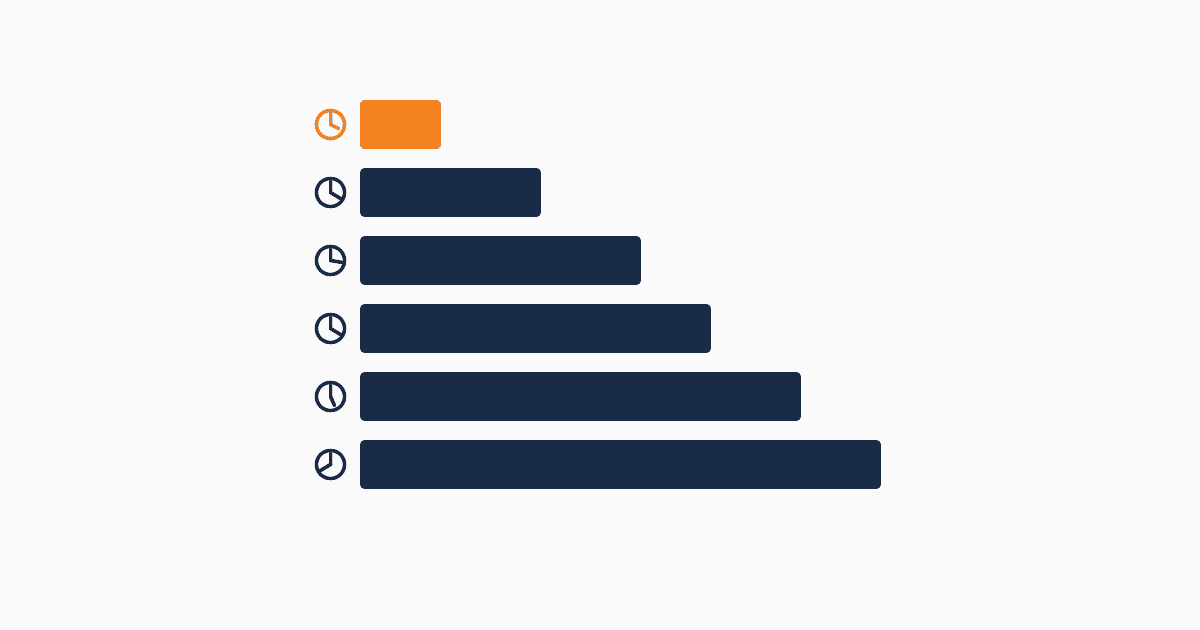
The phrase "free CRM" hides a lot of work. Most lists you'll find online rank by feature count or by SEO weight (i.e., who paid for the affiliate link). This list ranks by setup time — the metric that actually predicts whether you'll still be using the tool in a month.
Free tier feature lists matter less than they look. The teams that succeed with a free CRM are the ones who can capture their first lead in under 30 minutes. The teams that fail are the ones who spend three days configuring a "free" tool and then abandon it. Setup time is the dominant variable.
This article ranks six free CRMs by time-to-first-captured-lead, with honest notes on what each free tier actually covers and where the hidden costs live.
What "free" actually means in CRM-land
Four patterns hide under the word "free":
1. Real free tier. A useful free tier that small teams can run on indefinitely. No time limit, no aggressive contact caps. QUST's 1,000 energy/month is the clearest example.
2. Contact-limited free. Free up to a contact count (often 500-2,500), then mandatory upgrade. Mailchimp, Brevo, Freshsales.
3. Feature-gated free. Free indefinitely but with most useful features paywalled (automations, integrations, reporting). HubSpot Free is the canonical example.
4. Time-limited "free trial." Usually 14-30 days, then forced choice between paying and losing data. Most enterprise CRMs (Salesforce, Pipedrive paid plans).
Three of the four patterns are conditional free — meaning eventually you'll pay or leave. Only the first pattern is genuinely free. This matters because contract-limited free is functionally a delayed paywall.
Setup time as the real cost
A 2-week setup project that produces a "free" CRM has an opportunity cost. If your team spends 80 hours configuring a tool and then doesn't use it because something's missing — that's 80 hours of marketing work not done.
The teams that actually run their marketing on a free CRM share three patterns:
- They picked a tool that got them to first lead in under 30 minutes
- They didn't try to configure features they weren't using
- They migrated only after the free tier became a real constraint, not a theoretical one
Setup time predicts these outcomes better than any feature comparison.
The 6 free CRMs ranked
1. QUST — 5 minutes to first form
Setup time: 5-10 minutes from sign-up to first captured lead.
Free tier: 1,000 energy/month. Every feature available. No card required.
What it includes: Forms, leads, status lifecycle, sources, AI lead validation, email/Telegram notifications, multi-project workspaces. All on the free tier.
Hidden costs: None at small scale. Energy-based pricing kicks in when usage exceeds 1,000 actions/month. Top-ups start at $10 for 1,000 energy.
Where it wins: Marketing-first data model. No seat charges (works at any team size). Honest free tier — usage cap rather than feature cap.
Where it bends: Newer product with a smaller integration ecosystem than HubSpot. Some advanced sales-CRM features intentionally absent.
Best for: Marketing-led teams, agencies running campaigns for clients, B2B teams that want lead qualification before sales engagement.
2. Brevo (formerly Sendinblue) — 15-30 minutes for basic CRM
Setup time: 15-30 minutes for basic email + light CRM setup.
Free tier: 300 emails/day forever. Unlimited contacts. CRM features included.
What it includes: Email campaigns, basic CRM with deal pipeline, transactional API, SMS module (paid usage), simple workflow automation.
Hidden costs: Sending volume becomes the constraint quickly. Paid tiers start at $9/month for 5,000 emails. Branding watermarks on free tier email.
Where it wins: Genuinely useful free tier for small teams. EU-based (good for GDPR). Email + light CRM in one tool reduces stack complexity.
Where it bends: CRM module is shallow. Pipeline visualization is basic. Multi-channel reporting is weak.
Best for: Small teams whose primary motion is email, who want a CRM as a side feature.
3. HubSpot Free — 30-45 minutes for basic setup
Setup time: 30-45 minutes to capture first lead with reasonable configuration. Full feature exploration takes hours.
Free tier: 1,000,000 contacts (storage), forms, basic CRM, manual workflows only.
What it includes: Contact management, deal pipeline, forms, email marketing (limited to 2,000 sends/month), basic reporting, ticketing module, document tracking.
Hidden costs: Automation is gated behind paid tiers. Custom properties limited. Reporting is templated, not custom. Email send limits apply.
Where it wins: Generous contact storage (1M is far above what small teams need). Mature interface. Strong integration ecosystem.
Where it bends: No automated workflows on free tier (this is the major constraint). Sales-CRM data model. Feature complexity that small marketing teams don't need.
Best for: Teams that want a CRM with name recognition for stakeholder/board comfort, can live without automation initially.
4. Freshsales (Freshworks) Free — 30 minutes for basic CRM
Setup time: 30 minutes for basic configuration.
Free tier: Unlimited users, basic CRM features, 100 emails/account/day.
What it includes: Lead capture, contact management, deal pipeline, basic reporting, mobile app, built-in phone (paid usage).
Hidden costs: Workflow automation requires upgrade. Email limits are tight. Most marketing features (campaign builder, segmentation) are paid.
Where it wins: Polished interface. Mobile app actually works. Native phone for sales calls.
Where it bends: Marketing features are weak — this is primarily a sales-CRM with light marketing. Free tier limits are lower than competitors.
Best for: Sales-led teams that need a CRM with minimal marketing layer.
5. Zoho CRM Free — 1-2 hours for basic configuration
Setup time: 1-2 hours for setup, 1-2 days for full configuration.
Free tier: 3 users maximum, basic CRM, 25 mass emails/day.
What it includes: Contact management, deals, tasks, calendar, basic reports, mobile app, 5,000 records.
Hidden costs: Marketing automation requires upgrade. Reporting is limited. Customization requires admin time. 3-user limit hits quickly for any growing team.
Where it wins: Feature breadth at the free tier is impressive. Aggressive pricing on paid tiers. Decent reporting.
Where it bends: Interface is dense and dated. Documentation is uneven. The 3-user cap is the binding constraint for most teams.
Best for: Teams that need broad CRM features at zero cost and can absorb the configuration time.
6. Bitrix24 Free — 2-3 hours for basic setup
Setup time: 2-3 hours, longer if you try to use all the features.
Free tier: Unlimited users, 5GB storage, CRM + project management + chat + intranet.
What it includes: CRM, project management, document storage, internal chat, video calls, basic website builder. Genuinely a lot of features.
Hidden costs: Interface complexity is the hidden cost. Most teams use 10% of features.
Where it wins: Genuinely free tier. Many features. Unlimited users.
Where it bends: The kitchen-sink approach overwhelms most users. Marketing-CRM features are deep but hard to find. Interface is dated and feels like a 2010-era enterprise tool.
Best for: Teams that want an all-in-one workspace and have the patience for a learning curve.
Quick comparison
| Tool | Setup time | Free tier model | Constraint | Best for |
|---|---|---|---|---|
| QUST | 5-10 min | Usage-based (1K energy/mo) | Energy cap | Marketing-led teams |
| Brevo | 15-30 min | Send-volume (300/day) | Email volume | Email-first teams |
| HubSpot Free | 30-45 min | Feature-gated | Automation paywall | Brand-recognition needs |
| Freshsales Free | 30 min | Limited features | 100 emails/day | Sales-light marketing |
| Zoho CRM Free | 1-2 hours | User-limited | 3 user cap | Feature-breadth seekers |
| Bitrix24 Free | 2-3 hours | Feature-rich | Interface complexity | All-in-one workspace |
Hidden costs of free CRMs
Free CRMs aren't actually free. The cost surfaces in five places:
1. Setup time. Anything over 30 minutes is a real cost. A 2-hour setup at $50/hour effective marketing rate = $100. Across a team of 3, $300.
2. Forced upgrades. Most "free" tiers route you toward paid via friction. Email caps, automation paywalls, contact limits. Plan for which constraint will hit you and when.
3. Data export friction. Some free tiers export only basic data, not custom fields or workflow logic. Test before you commit.
4. Branding. Free tier email often includes vendor branding ("Sent via X"). This degrades sender reputation and conversion.
5. Support quality. Free tier support is usually community-based. Time-to-resolution for a real issue can be days.
The honest reading: a free CRM saves money on subscriptions, not on total cost of ownership. The teams that benefit most are the ones who pick a fast-setup tool and don't over-configure.
When to leave the free tier
Three signals indicate it's time to upgrade or migrate:
- You're hitting the free tier's binding constraint regularly (more than 1× per month)
- Configuration workarounds (using tags as statuses, multiple workspaces to dodge contact limits) are taking more time than the upgrade cost
- A feature you actually use frequently is paywalled and you're delaying work because of it
Upgrade in place if the tool is working. Migrate if the workarounds suggest you've outgrown the tool's architecture, not just its free tier.